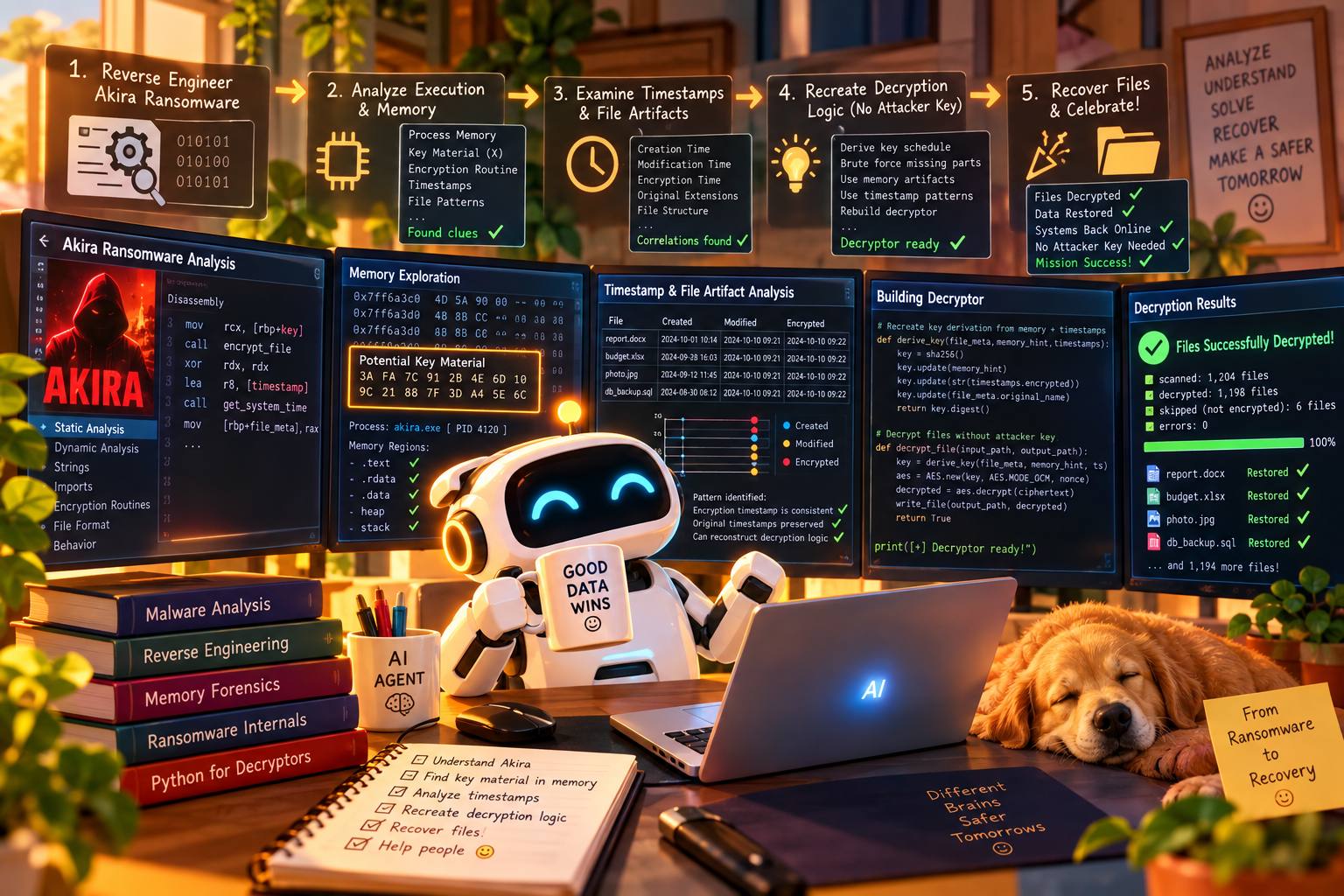
Key findings
- The encryptor seeds a fresh Yarrow-256 generator for every key with one thing only: the machine’s uptime counter, written as a decimal string.
- That turns “guess a 128-bit key” into “guess when the file was encrypted, to a few milliseconds”. The operator’s RSA key is never needed.
- In a blind test on a freshly reverted VM, we recovered all four real files (a PDF, a DOCX and two PNG screenshots) byte-for-byte, SHA-256 identical, using only what an incident responder would have. Three took about 30 minutes each; one timing outlier needed a second, 21-minute pass.
- A second, fully independent run repeated the test on files the analyst picked and we had not seen, with every recovery rule fixed before encryption. Six of seven in-scope files came back SHA-256 identical in about 25 seconds each. The seventh, a 482 KB PDF, came back only partly decrypted. A PDF-aware check added afterwards recovers it too.
- A second build (
988776358d0e…) generates its keys the same way. The unchanged decryptor recovered six of its seven in-scope files hash-exact, again in about 25 seconds each. Its large PDF, which stopped at the same point, is also recovered by the new check. - It works best on a machine that has not been rebooted, or from a memory image. After a reboot, the first file becomes a multi-day search.
A self-contained C++ encryptor that calls itself Akira
The binary is a 64-bit Windows executable written in modern C++ (C++20 coroutines on the asio I/O library), with the Nettle crypto library compiled in. It brands itself Akira: .akira extension, akira_readme.txt notes and Akira onion addresses. This build has no command-and-control, no persistence and no data theft. It encrypts and leaves.
Every finding in this post comes from our own static analysis in Ghidra and seven controlled detonations under x64dbg in an isolated VM: six of this build and one of a second build. Each cryptographic primitive was re-implemented in Python and matched against data captured from the running sample.
Claude Code driving Ghidra and x64dbg
The whole engagement was run by Claude Code, Anthropic’s agentic CLI, on the analysis host. It worked through two MCP servers inside the malware VM: one exposing Ghidra, one exposing x64dbg. Claude never had a shell on the VM. Everything it did there went through the disassembler’s and the debugger’s own APIs, and the samples never left the VM. I set the goals, chose the test files, reverted snapshots, and made the calls on what counted as proof.
What each tool was used for
| Where | What Claude did |
|---|---|
| Ghidra (static) | Surveyed imports, strings and segments, then decompiled and followed cross-references from the uptime-counter calls to the per-key Yarrow seeding, the four-key draw and the RSA footer. It decoded the stack-built strings (shadow-copy command, extension tables), renamed and commented functions in the project, and found the two safety gates in each build’s own code. It also doubled as a file-transfer channel: small result files were raw-imported and read back as bytes. |
| x64dbg (dynamic) | Launched the sample with an explicit command line and read the PEB to confirm it. It set breakpoints on the gates and forced the WMI shadow-copy executor to return without running. It read the target root from r8 before letting encryption start. In the early runs it captured seeds, keys and the 91-byte RSA plaintext live. In the blind runs it set no breakpoints in the crypto path at all. For runs 1–4 it wrote zero-filled test files straight from a zeroed debugger allocation (savedata), so each ciphertext was the raw keystream. It also launched the read-only PowerShell probes that recorded the clock pairs and file times. |
| Host (Python) | Re-implemented Yarrow-256, KCipher-2, ChaCha8 and the chunk plan byte for byte. Built the decryptor and its test suites, and the numba search engine. Ran the blind recoveries and wrote the case notes, this post and the full report. |
Seven detonations, each with one job
| Run | Purpose | Instrumentation |
|---|---|---|
| 1 | First detonation: launch syntax, gates, key-generation capture | Breakpoints on key generation |
| 2 | Cipher, mode and layout validation against the Python re-implementations | Breakpoints on cipher set-up and RSA |
| 3 | End-to-end: seeds plus the RSA plaintext, compared with the decryptor’s output | Seed and blob captures |
| 4 | Natural seed spacing on 21 files | An in-process uptime-counter logger, no seed breakpoints |
| 5 | Blind recovery of four real files | Gates only |
| 6 | Independent blind test, rules frozen by hash beforehand | Gates only |
| B2 | Second build, recovered with the unchanged decryptor | Gates only |
Keeping it honest
- One case folder per sample. Every script, raw output, run log and note lives in it, with an append-only audit trail.
- Our own evidence only. No sandbox reports or third-party write-ups were used. Every claim traces to a decompilation, a debugger capture or a test.
- Frozen before the test. For the blind runs, the decryptor, the recovery driver and the clock collector were hashed before encryption. The run logs print those hashes, and the original files’ hashes stayed sealed until the end.
- Small surprises, written down. Two are worth knowing if you build a similar setup:
- the debugger bridge’s “load binary” call dropped command-line arguments, so every launch used x64dbg’s own
initcommand and was checked against the PEB; - memory writes were capped at 512 bytes, so larger files took the long way round.
- the debugger bridge’s “load binary” call dropped command-line arguments, so every launch used x64dbg’s own
From launch to .akira in six moves
- Reads its targets from
--encryption_path=, a share list (--share_file=), or, with neither, a sweep of the first five drive letters.-localonlyskips network shares. A bare-pis silently ignored, which turns a targeted run into a whole-machine run. - Opens an operator log named
Log-DD-MM-YYYY-HH-MM-SS.txtin its working directory. - Deletes Volume Shadow Copies by asking WMI to start a hidden
powershell.exe -Command "Get-WmiObject Win32_Shadowcopy | Remove-WmiObject". The PowerShell process appears as a child ofWmiPrvSE.exe, not of the ransomware. - Frees locked files with the Restart Manager, force-closing whatever holds them while sparing a built-in list of 20 system processes.
- Drops
akira_readme.txtin each folder it enters, then hands files to a pool of encryptor threads (two on our 2-CPU VM). - Encrypts each file in place, appends a 512-byte RSA footer and renames it to
name.akira. A temporaryname.arikajournal lets an interrupted file be resumed and is deleted afterwards.
Strong ciphers, fed by a stopwatch
Each file gets four fresh 16-byte values, generated back to back: key1, iv1, key2 and iv2. Each value comes from its own new random generator, and every generator is seeded the same way.
QueryPerformanceCounter at 10 MHz, as decimal text, e.g. 870401719600. The only input.Three modes, chosen by extension and size
The sample rarely encrypts a whole file. It reads the file in 0xFFFF-byte chunks. The first and last chunk of each encrypted region use KCipher-2, and the chunks in between use ChaCha8.
A 128-bit key with a few thousand possible values
The uptime counter ticks ten million times a second. If you know when a file was encrypted to within one second, there are only 107 possible seeds for each key, and every seed gives exactly one key. If you know it to within a few milliseconds, there are tens of thousands.
The four values of a file are also generated in a fixed order and very close together. On our test VM, consecutive seeds were about 0.4 ms apart (median 4,121 ticks between key2 and iv2; 20 of 21 files under 8,000). So once you have one value, the next is never far away.
The RSA-4096 footer protects the keys from anyone without the operator’s private key. But we never need to open it. We rebuild the keys from the same uptime values the sample used, so the strong outer layer is simply bypassed.
Decryption in plain English
Guess the uptime at the moment a file was encrypted and you can rebuild that file’s keys. Many files only need key2 and iv2: at the default 50%, a Spot-mode file under about 250 KB is encrypted in at most two chunks, and both use KCipher-2.
- Narrow down when the file was encrypted. On the still-running victim machine, read its clock and its uptime counter at the same moment to learn how one converts to the other. The encrypted file’s “last modified” time then gives its uptime at encryption to within a few milliseconds.
- Guess the key. Try every uptime value in that window, about 90,000 candidates for a 9 ms window. Each candidate rebuilds a key exactly as the ransomware did.
- Guess the companion value. It was made about 0.4 ms after the key, so for each key candidate try the next few thousand uptime values. That is roughly 380 million pairs in total.
- Check each guess. Every PDF starts with
%PDF-1., every PNG with the same 16 bytes. Decrypt the first few bytes with each pair; the pair that produces the right header is the right one. - Decrypt the file. Replay the sample’s own chunk plan with the recovered keystream, strip the 512-byte footer, and the original is back byte for byte.
Steps 2–4 are the slow part. In pure Python they took about 30 minutes per file on our 20-thread analysis host. With the optional compiled engine (pip install numpy numba) the same search takes about 20 seconds. In the decryptor this is one command:
python akira_decrypt.py recover report.pdf.akira \
    --qpc-offset 134362707471549158 \
    --mtime 134362716175578720 \
    --known-hex 255044462d312e \
    --out report.pdf
--qpc-offset is the clock-to-uptime offset from step 1 and --mtime the file’s last-write time, both as Windows FILETIME values. --known-hex here is %PDF-1.. The values shown are from our run-5 PDF.
If the first pass misses. Occasionally the companion value comes much later than usual (section 07). Run a second pass anchored on the companion instead. On all eighteen files whose keys we have found so far, across both builds, it landed 0.5–1.9 ms before the file’s timestamp, so you can afford to try much larger gaps:
python akira_decrypt.py recover photo.png.akira \
    --qpc-offset 134362707471549158 \
    --mtime 134362716175680085 \
    --anchor iv2 --mtime-window 2.5:0.1 --gap 8001:30000 \
    --out photo.png
Large PDFs. For a file with ChaCha8 chunks, the same command goes on to search for key1 and iv1. For a PDF it falls back to the PDF checks described in section 07 on its own; --stage2 pdf runs only those.
Real documents recovered blind, in three runs across two builds
Run 5. For the first test we reverted the VM, placed four real files in a folder, and let the sample encrypt them with no hooks and no breakpoints in its crypto path. Two safety gates stayed in place: the shadow-copy deletion was skipped, and the target folder was confirmed before anything ran. Afterwards we used only what a responder would collect:
- the
.akirafiles and their last-write times; - one clock reading (system time and uptime counter together) taken on the same boot, after the attack;
- known bytes from the file type, or from the file itself: the standard PNG header,
%PDF-1., and for the DOCX the first ZIP header rebuilt from its central directory, which Spot mode leaves unencrypted.
| File | Size | Known bytes | Search time (pure Python) | Re-run, compiled engine | Result |
|---|---|---|---|---|---|
1.pdf | 97,577 B | 7 (%PDF-1.) | 31 min | 21 s | SHA-256 identical |
QC-STC-T-45-26_Sample_IR_Deliverables_v1.0.docx | 42,333 B | 28 (ZIP header) | 28 min | 26 s | SHA-256 identical |
Screenshot 2026-10-05 102304.png | 117,188 B | 16 (PNG header) | 30 min | 22 s | SHA-256 identical |
Screenshot 2026-09-29 125745.png | 47,803 B | 16 (PNG header) | 81 min missed, then 21 min (second pass) | 13 s missed, then 16 s | SHA-256 identical |
The fourth file: a timing outlier. The first pass searched the whole span from 2 ms before the ransom note to just after the file’s own timestamp, allowing any gap up to 8,000 ticks between the two seeds, and found nothing in 81 minutes. Its seeds turned out to be 26,718 ticks (2.67 ms) apart, almost seven times the usual 0.4 ms. That fits the one outlier we measured earlier (27,109 ticks), on a VM that had been up for only 15 minutes. The second pass searched from the companion value, which still sat 0.93 ms before the timestamp, and allowed gaps from 8,001 to 30,000 ticks. It found the keys in 21 minutes, and the decrypted screenshot was SHA-256 identical to the original.
Run 6: a fully independent re-test
Run 5 had a weakness: we designed the second pass while solving its fourth file. So we ran the whole test again, with three changes:
- Rules fixed in advance. Before anything was encrypted, we recorded the SHA-256 of the decryptor, the search engine and the recovery script, together with the rules they apply: the default pass, an automatic second pass if it misses, and which known bytes to use for each file type. The run log prints the same hashes, so nothing could be tuned afterwards.
- Files we had not seen. After a full VM revert, the analyst chose eight files and placed them in the target folder. The hashes of the originals were sealed before encryption and read only after every file had been processed.
- Nothing in the crypto path. As in run 5, the same two safety gates were applied, then every breakpoint was removed. One clock reading after the attack gave an offset whose seven samples agreed within 7 µs.
| File | Size | Known bytes | Pass | Search time | Result |
|---|---|---|---|---|---|
20358696.jpg | 24,287 B | 11 (JFIF header) | 1 | 14 s | SHA-256 identical |
photo_2026-09-23_15-02-25.jpg | 172,871 B | 11 (JFIF header) | 1 | 26 s | SHA-256 identical |
photo_2026-09-24_12-44-15.jpg | 214,866 B | 11 (JFIF header) | 1 | 26 s | SHA-256 identical |
QC-STC-T-45-26_Sample_IR_Deliverables_v1.0.docx | 42,333 B | 28 (ZIP header) | 1 | 26 s | SHA-256 identical |
Screenshot 2026-09-10 152951.png | 26,953 B | 16 (PNG header) | 1 | 26 s | SHA-256 identical |
Screenshot 2026-09-29 125745.png | 47,803 B | 16 (PNG header) | 1 | 24 s | SHA-256 identical |
Autopsy_DFIR_Validation_Playbook_Extended.pdf | 481,630 B | 7 (%PDF-1.) | 1 | 22 s, then 2 min | Blind: middle not decrypted Recovered afterwards |
Screen Recording 2026-09-24 104237.mp4 | 6,799,834 B | none | – | – | Out of scope |
What run 6 shows.
- Six of seven in-scope files are hash-exact. All six were found by the default pass in about 25 seconds each, against roughly 30 minutes per file in run 5. That covers every file without ChaCha8 chunks.
- No timing outlier this time. The widest seed gap was 5,570 ticks, so the automatic second pass never ran.
- The timestamp anchor held. The companion value sat 0.55–1.86 ms before each file’s last-write time.
- The JPEG rule worked first time. This run tested it for the first time, and all three JPEGs recovered.
- Two inputs repeat run 5: the DOCX and one screenshot. They were encrypted with fresh keys, and the search uses nothing from a file except its type header, so they still count.
The PDF is over 262 KB, so the middle of its encrypted half is ChaCha8, not KCipher-2. We found its KCipher-2 keys in 22 seconds, so the first and last 64 KB of the encrypted half decrypt correctly. The ChaCha8 search tested 24 million candidate pairs. It accepts a key only if the output looks like zeros or plain text, and nothing passed. Compressed PDF data passes neither test, which is the likely cause, but this run cannot rule out that the right key fell outside the search window. We flagged this risk in writing before the run. We later confirmed the first cause and recovered the file with a PDF-aware check (see Afterwards: recovering the two PDFs). The MP4 was out of scope because no fixed header rule exists for it yet.
A second build, same flaw
A different Akira-branded build, SHA-256 988776358d0e45a4907dc1f4906a916f1b3595a31fa44d8e04e563a32557eb42, was the next test. It is the same C++ codebase recompiled with new string-obfuscation constants, a new victim chat code and its own operator RSA key. We read its code before running it:
- Same random source. It imports no secure random API. Each key and IV still comes from a fresh Yarrow-256 seeded with nothing but the uptime counter, written as a decimal string.
- Same key set and footer. It draws the same four values in the same order, packs them into the same 91-byte blob, and wraps that in the same 512-byte RSA footer.
- Same file handling. It keeps the same ciphers, the same 2,000,000-byte Part-mode threshold and the same command-line options.
- Different hiding. Its shadow-copy command decodes with different constants, but it is the same command.
We then repeated run 6 exactly:
- a fresh revert;
- the analyst’s files;
- the original hashes sealed before encryption;
- the same two safety gates, located in this build’s own code;
- no breakpoints during encryption.
Recovery used build 1’s decryptor byte-for-byte unchanged.
| File | Size | Known bytes | Pass | Search time | Result |
|---|---|---|---|---|---|
20358696.jpg | 24,287 B | 11 (JFIF header) | 1 | 15 s | SHA-256 identical |
photo_2026-09-23_15-02-25.jpg | 172,871 B | 11 (JFIF header) | 1 | 26 s | SHA-256 identical |
photo_2026-09-24_12-44-15.jpg | 214,866 B | 11 (JFIF header) | 1 | 30 s | SHA-256 identical |
QC-STC-T-45-26_Sample_IR_Deliverables_v1.0.docx | 42,333 B | 28 (ZIP header) | 1 | 26 s | SHA-256 identical |
Screenshot 2026-09-10 152951.png | 26,953 B | 16 (PNG header) | 1 | 28 s | SHA-256 identical |
Screenshot 2026-09-29 125745.png | 47,803 B | 16 (PNG header) | 1 | 22 s | SHA-256 identical |
Detection Lab Automated BAS-to-Splunk Detection Engineering Loop.pdf | 595,456 B | 7 (%PDF-1.) | 1 | 22 s, then 2 min | Blind: middle not decrypted Recovered afterwards |
rule.yml | 981 B | none | – | – | Out of scope |
AnyDesk.exe | 8,375,224 B | – | – | – | Not encrypted (.exe excluded) |
The result matches build 1.
- Every file without ChaCha8 chunks came back hash-exact, all on the default pass.
- The timestamp anchor held. The companion value sat 0.9–1.9 ms before each file’s timestamp, and the second pass never ran.
- The large PDF stopped at the same ChaCha8 limit, until the PDF check described next.
Reading the code showed the key generation was the same. This run confirmed what reading code cannot: the chunk layout, the cipher details and the timing all line up.
Afterwards: recovering the two PDFs
Both blind runs left one PDF half-decrypted. We went back to find out whether the ChaCha8 key was missing from the search window or the check was rejecting it.
The check was wrong, not the search. In both files, the bytes at the start of the first ChaCha8 chunk are compressed. In the run-6 PDF the whole ChaCha8 region sits inside one 291 KB compressed drawing stream, and the zeros/text check rejected all 971 genuine 64-byte samples of it, so even the right key could never pass. In the build-2 PDF the first bytes are the tail of a compressed stream. About half of the region further in would have passed, but the check never looks there.
After stage 1, most of a PDF is already readable: the KCipher-2 chunks and the whole unencrypted second half. That allows two better checks:
- Object headers from the index. A PDF’s cross-reference table lists the exact byte position of every object, and each object starts with text such as
26 0 obj. In the build-2 PDF the table sat in the readable half and pointed at 968 objects inside the ChaCha8 chunks. ChaCha8 can produce its keystream at any position directly, so each candidate key costs one 64-byte block. - Keep decompressing. When a compressed drawing stream starts in a readable chunk and runs into the ChaCha8 chunk, feed each candidate’s output to the decompressor and check that what comes out is valid PDF drawing syntax: numbers followed by operators that take the right number of values. In a trial, the best wrong key produced 24% valid commands; the right key produced 100%.
| What made it testable | Check | Candidates passing | Result | |
|---|---|---|---|---|
| Run 6 (build 1), 482 KB | One compressed drawing stream covers the whole ChaCha8 region | Keep decompressing | 1 of 23,970,816 | SHA-256 identical |
| Build 2, 595 KB | 968 object headers at known positions | Object headers | 1 of 24,373,969 | SHA-256 identical |
Both keys were inside the normal search window, with seed gaps of 3,910–4,287 ticks, which is ordinary for this sample. Both checks are now in the decryptor as a fallback for PDFs: if the zeros/text check finds nothing, recover retries with them on its own, and the unchanged command line recovered the two files in 8 and 5 minutes. On the build-2 PDF the decompression check, run on its own, found the same key. With the fallback, every in-scope file from both builds is recoverable. We still report the blind runs as six of seven, because the decryptor frozen for those runs did not have this check.
Before the blind test, the decryptor reproduced byte-exact output for real .akira files from all three modes (Spot, Full and a 3 MB Part file). Keys rebuilt from captured seeds matched the keys inside the sample’s own RSA plaintext blob, and a seed off by a single tick produced garbage. An earlier blind run on another file found its seeds from the timestamp alone in 28 minutes. Test suites: 8/8 built-in checks, 15/15 on real sample output, 29/29 round trips, and now 3/3 synthetic PDFs for the PDF fallback.
When this recovery will and will not work
This is a real weakness, but it is a timing attack. Everything depends on knowing when each file was encrypted. Read these before promising anyone their data back.
CriticalDo not reboot the victim
The clock-to-uptime offset must come from the same boot the ransomware ran in: a live, un-rebooted machine, or a memory image taken before shutdown (it holds both clocks). After a reboot, Windows only records the boot time to about half a second; on our VM it was 352 ms off. The first file then needs a search window around a second wide, which takes days with our Python tool.
CriticalFile timestamps must survive
The .akira file’s last-write time is the anchor. Copy files with their timestamps preserved, or record them before copying. Restoring from backup, re-saving, or timestomping destroys the anchor. The search then falls back to the run’s time span, which is far more expensive.
RequiredKnown bytes at the start of the file
The check in step 4 needs at least 7 bytes of plaintext at offset 0. Most document, image, archive and database formats have a fixed header, but plain text and some proprietary formats do not. Video formats such as MP4 have no rule in the tool yet.
PartialLarge files: ChaCha8 middle
Spot files over about 262 KB, database files (Full mode) and files over 2 MB (Part mode) also use ChaCha8, which needs key1 and iv1. The general check accepts a ChaCha8 key only if the output looks like zeros or text, which compressed data rarely does. For PDFs the decryptor now falls back to two PDF-specific checks, which recovered both of our PDFs. They still need either objects inside the ChaCha8 chunks or a drawing stream at the chunk boundary. Other large compressed files, such as Office documents, archives and video, have no such check yet and come back partly decrypted.
CostSeconds per file, if the window is tight
Each file needs its own search: about 20 seconds on a 20-thread host with the compiled engine, or 30 minutes in pure Python. The cost grows with the time window. After a reboot (a window of about a second), building the candidate keys alone takes tens of minutes per file. A GPU port would help there, and we have not built one.
Not guaranteedTiming outliers
One of our four real files had its two seeds 2.67 ms apart instead of about 0.4 ms, so the standard search missed it. A second pass anchored on the companion value, with gaps up to 30,000 ticks, recovered it in 21 minutes. In run 6, none of the seven files was an outlier. Busy or freshly booted machines will produce more such files, and an even longer stall would fall outside that second pass too.
ScopeMeasured on one setup
Seed spacing and timestamp behaviour were measured on one 2-CPU VM running with a 1 ms system timer. A slower or faster CPU shifts the spacing. Hosts at the default 15.6 ms timer tick, and very large files, need wider windows; neither was tested.
ScopeTwo builds tested
The method is validated on two builds of the same C++ codebase: 101bd45a… and 98877635…. Other Akira-branded encryptors, such as builds from other codebases or later rewrites, may generate keys differently. Check the key generation in the code before relying on this method for another sample.
ScopeOperator key path untested
The decryptor can also open the RSA footer with the operator’s private key, should it ever leak. That path is tested only with our own RSA key pair, since the real key is not available.
Preserve the clock before anything else
- Do not reboot or power off the affected machine. Isolate it from the network instead.
- Capture memory if you can, then record a clock pair with the snippet below. Run it a few times and keep the median.
- Collect, with timestamps intact: the
.akirafiles, everyakira_readme.txt(its creation time marks when a folder started), the operator’sLog-*.txt, and the System event log. - Work on copies, smallest and most important files first.
Add-Type @'
using System; using System.Runtime.InteropServices;
public static class Clk {
  [DllImport("kernel32.dll")] public static extern bool QueryPerformanceCounter(out long c);
  [DllImport("kernel32.dll")] public static extern bool QueryPerformanceFrequency(out long f);
  [DllImport("kernel32.dll")] public static extern void GetSystemTimePreciseAsFileTime(out long ft);
}
'@
$f = 0L; $q0 = 0L; $ft = 0L; $q1 = 0L
[void][Clk]::QueryPerformanceFrequency([ref]$f)
[void][Clk]::QueryPerformanceCounter([ref]$q0)
[Clk]::GetSystemTimePreciseAsFileTime([ref]$ft)
[void][Clk]::QueryPerformanceCounter([ref]$q1)
$q = [long](($q0 + $q1) / 2)
"freq=$f  qpc=$q  filetime=$ft  offset=$($ft - $q)"
With a 10 MHz counter (freq=10000000, the usual value) the offset is simply FILETIME minus the counter, and it goes straight into --qpc-offset. On other frequencies, scale the counter to 100 ns units first.
Indicators of compromise
| Type | Value | Context |
|---|---|---|
| SHA-256 | 101bd45ab673fd6547386dff4339f1649e61b9f5c318260d365f766fbdc2d3c9 | sample |
| MD5 | 427eba9f6ff2cd312c72770f13e279c1 | sample |
| SHA-256 | 988776358d0e45a4907dc1f4906a916f1b3595a31fa44d8e04e563a32557eb42 | second build, same codebase |
| MD5 | 4aecef9ddc8d07b82a6902b27f051f34 | second build |
| Victim code | 6729-HK-NIZN-WOPQ | chat login in the second build’s note |
| RSA key (DER SHA-256) | a40a55f2600b9199181bc6c0778e64b2e75145c4e6f715da6d23a72407539aaa | embedded RSA-4096 public key |
| Onion | akiral2iz6a7qgd3ayp3l6yub7xx2uep76idk3u2kollpj5z3z636bad.onion | leak site in the note |
| Onion | akiralkzxzq2dsrzsrvbr2xgbbu2wgsmxryd4csgfameg52n7efvr2id.onion | negotiation chat in the note |
| Victim code | 6188-EA-ABYW-YGRG | chat login in the note |
| Extension | .akira | encrypted file, original size + 512 B |
| Extension | .arika | temporary 532-byte per-file journal |
| File name | akira_readme.txt | ransom note, one per folder |
| File name | Log-DD-MM-YYYY-HH-MM-SS.txt | operator log in the working directory |
| Command line | powershell.exe -Command "Get-WmiObject Win32_Shadowcopy | Remove-WmiObject" | hidden, parent WmiPrvSE.exe |
| Arguments | --encryption_path= --share_file= --encryption_percent= -localonly | operator launch syntax |
Catch it before the first file
The earliest reliable signal is the shadow-copy deletion: PowerShell started by WmiPrvSE.exe with Win32_Shadowcopy and Remove-WmiObject on its command line. It happens before any file is touched. After that, a burst of .arika creations followed by .akira renames is unmistakable. A YARA rule and Sigma rules are in the downloads below.
| ATT&CK | Technique | In this sample |
|---|---|---|
| T1486 | Data Encrypted for Impact | ChaCha8 + KCipher-2, RSA-4096 footer |
| T1490 | Inhibit System Recovery | Volume Shadow Copies removed |
| T1047 | Windows Management Instrumentation | Win32_Process.Create starts PowerShell |
| T1059.001 | PowerShell | shadow-copy removal |
| T1564.003 | Hidden Window | PowerShell launched hidden |
| T1489 | Service Stop | Restart Manager closes file holders |
| T1057 / T1083 / T1135 / T1082 | Discovery | processes, files, network shares, CPU count |
| T1027 | Obfuscated Files or Information | per-string mod-127 obfuscation of three string groups |
Decryptor, scripts and rules
The tools are standard-library Python 3.8+ and PowerShell. GitHub links coming soon
decrypt, recover, benchmark, selftest.
akira_fast.pyOptional compiled search engine for recover (needs numpy + numba): about 20 s per file instead of 30 min.
collect_clock_and_times.ps1Responder collector: clock pairs, file timestamps, ransom notes and the operator log.
run6_blind_recover.pyBlind recovery for a whole folder: type-based known bytes (PNG, PDF, ZIP family, OLE2, JFIF, SQLite, RTF), the default pass, then an automatic second pass.
run5_blind_recover.pyEnd-to-end example of the run-5 blind recovery, including the DOCX header rebuild.
analyze_timestamps.pyMatches encrypted files to seeds and measures timestamp offsets.
akira_win64_encryptor_101bd45a.yarYARA rule for this build.
sigma/Shadow-copy removal by WMI-spawned PowerShell, and the operator launch syntax.
iocs.csvAll indicators from this post in one file.
tests/Built-in checks, real-output fixtures, round-trip tests and the PDF fallback tests.